Posts

Fantasy Ruin

Image
  https://www.youtube.com/watch?v=4hZyEG4dPvE&t=306s This video is a speed level design of some ruins using assets purchased from the Unreal asset store, including a sky sphere. The level looks pretty good despite it being made in a short time in part due to the lighting and atmospheric fog giving it a polished and visually pleasing look and feel. The creator enables sun shafts on the directional light source meaning that light realistically pushes through gaps in the environment in the form of beams of light. The creator uses a landscape tool to make smaller lumps and bumps on the ground to give it more depth and stop the level from feeling too flat. They also use the landscape paint tool to create transitions from grass to stonework. All of this creates a more natural environment that adds realism and subtle visual complexity to the scene. The grass used has the Simple Grass Wind in its material as it sways around. The creator here also makes sure to fill out the backgro...

Forest Valley Level Build

Image
https://www.youtube.com/wat ch?v=afJBNP9vcJs&t=36s This is a large open fantasy forest level.The grass animation material system is used a lot for the plentiful grass and trees. The landscape tool is used for the mountains in the background and probably for the core foundation for the geometry. However, some of the environment such as the rocks are too detailed for the landscape tool and are likely normal 3D models. There is a fair amount of attention to detail with a collection of tents having their cloth blowing slightly in the wind, this was likely achieved by the cloth physics interacting with the wind. The fireplace cooking pot in this area also glows and produces and ember particle effect There are clouds in the air that seem to be in the environment rather than attached to the skybox, which creates a great atmosphere. As the clouds fly directly next to the mountains and the tower the player gets the sense that they are in a high up location. I like the po...

Fortnite Player Mesh Optimisation

Image
Fortnite is a game developed by Epic Games who created all versions of Unreal Engine. Fortnites battle royale mode drops 100 players onto a single island, which means that potentially every player one of these players could end up in a single location. This many high quality, fully animated, player controlled models is taxing for both CPU and GPU performance resources and could potentially result in large frame drops. In order to combat this Epic created what they call a significance manager that adjusts the fidelity of the other player characters models based on their “importance” based on 3 different criteria: the distance relative to the player characters position, the size of the screen and how visible the character is such as whether or not they are hidden behind geometry for instance. These factors will determine what priority bucket each player goes into with each bucket having a maximum cap to prevent too many high-fidelity models being put into the same bucket in the case th...

Engine Scalability

Games usually need some tweaks to their visual fidelity in order to run at an adequate frame rate. As a result game engines usually have some sort of in built tools to decrease the quality of the overall fidelity of the rendering, whether that be in the form of reducing the amount of pixels rendered per frame, or other more asset based adjustments like reducing the resolution of all textures/materials in the scene, particle size and complexity or how level of detail is adjusted per the distance of the object from the player. Different adjustments should be made depending on what platform the game is trying to run on as different hardware have their own strengths and weaknesses that need to be accommodated in order to retain consistent performance. Rigorous testing is advised to find what does and doesn't work well on certain machines to avoid unnecessary visual cutbacks when they are not needed and to make cutbacks when necessary. Different scalability options have their own perfor...

Ambient Occlusion

Image
Ambient Occlusion is a post process rendering technique that darkens the edges, corners and the like to make assets appear like they are reacting light more realistically. There are multiple different rendering techniques to achieve Ambient Occlusion, Unreal 4 using Screen Space Ambient Occlusion or SSAO. Using this technique means that normal maps in materials will also have an effect on the final look. Like any additional rendering technique Ambient Occlusion comes with a performance resource cost. You can adjust the intensity of the effect as well as the radius of the effect. Most AAA games use ambient occlusion to help make their assets blend in more with each other and create a more realistic scene as a whole. AO Off AO On

Material and Lighting Pass

Image
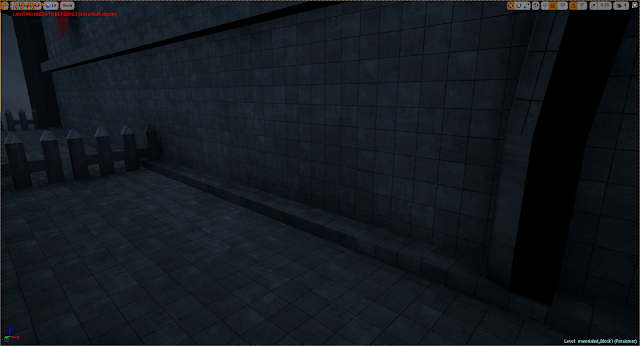
Today I have made some large steps towards starting to create a more finished looking level as opposed to adding more assets as I have been previously. I have added the Unreal 4 default materials to a large bulk of the assets. These look nice but don't fit perfectly on some assets due to their complexity. Ideally all materials and textures will be my own but I am not against using these defaults as I think the current look is fairly good. The major addition I have made today is how the scene is lit as I have completely overhauled the lighting from the previous default settings. The bulk of the lighting comes from a skylight which simply illuminates the level so that the player can adequately see the environment. A skylight has no obvious source position and covers a very wide area. Balancing the lighting to achieve clarity whilst still looking like night time scene was fairly tricky but I am happy with how it looks now. The rest of the lighting comes from a directional light ...

Cathedral Progress

Image
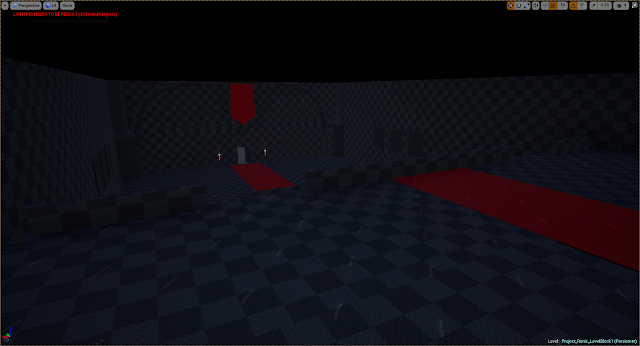
I have made more progress of the interior of the Cathedral, adding a variety of different assets into it to bulk it up with pews, candelabras, a set of thrones and a podium